SyncMix
Product Designer
2023 - 2024
14 Weeks
Product/Branding/Visual
Mix. Share. Inspire.
SyncMix is an innovative platform designed to simplify the music creation process, making it accessible to all. Whether starting out or highly experienced, SyncMix provides efficient and convenient tools that turn inspiration into music effortlessly, anytime and anywhere.
Challenges
Overwhelming for beginners with limited beginner-friendly tutorials and insufficient onboarding support.
Non-intuitive operations and limited automation tools slow down processes and disrupt creative momentum, reducing overall productivity.
Difficult technical intelligence allows beginners to make very basic melodies, limiting thinking and restricting creative expression.
Start Simple
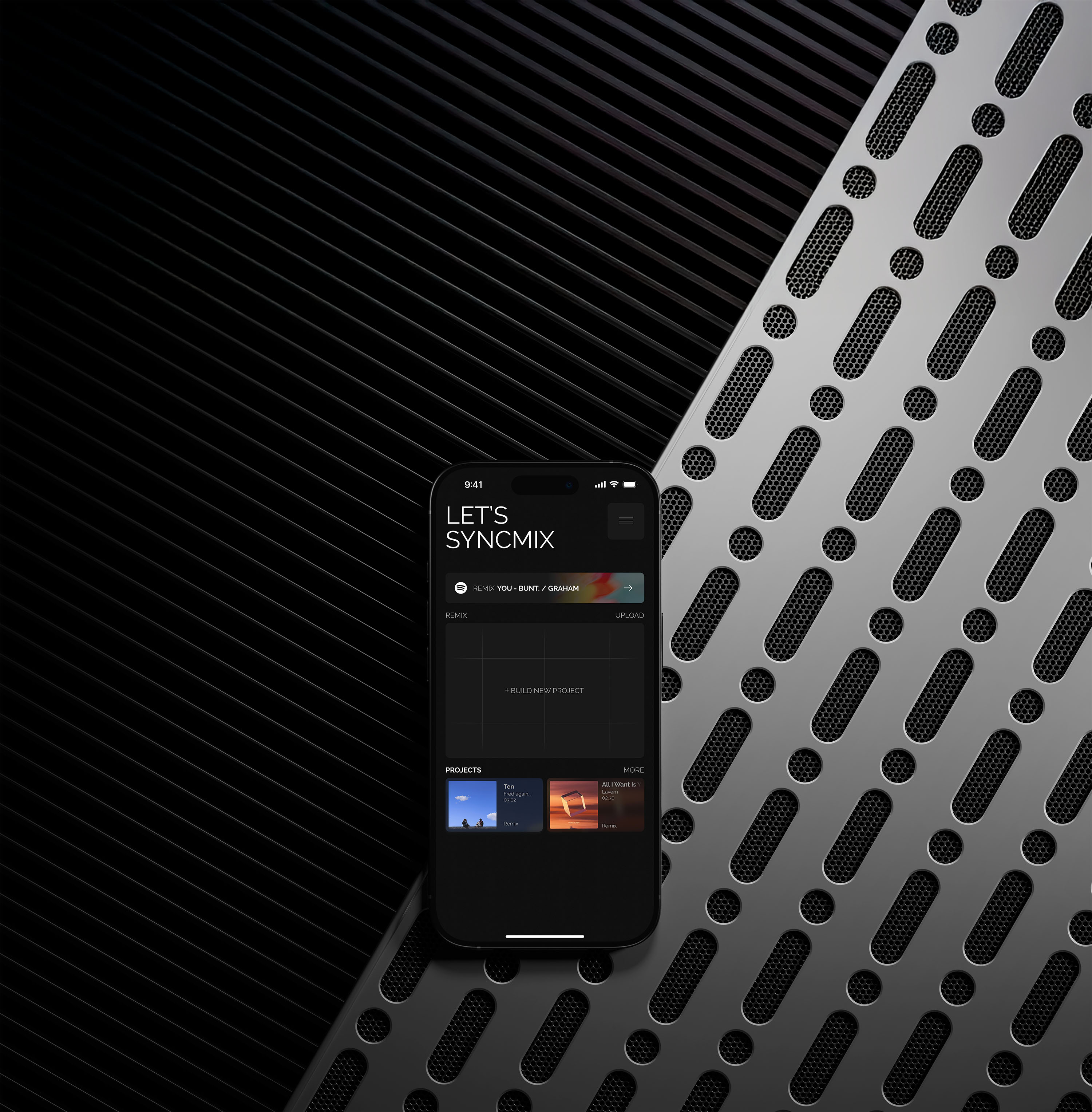
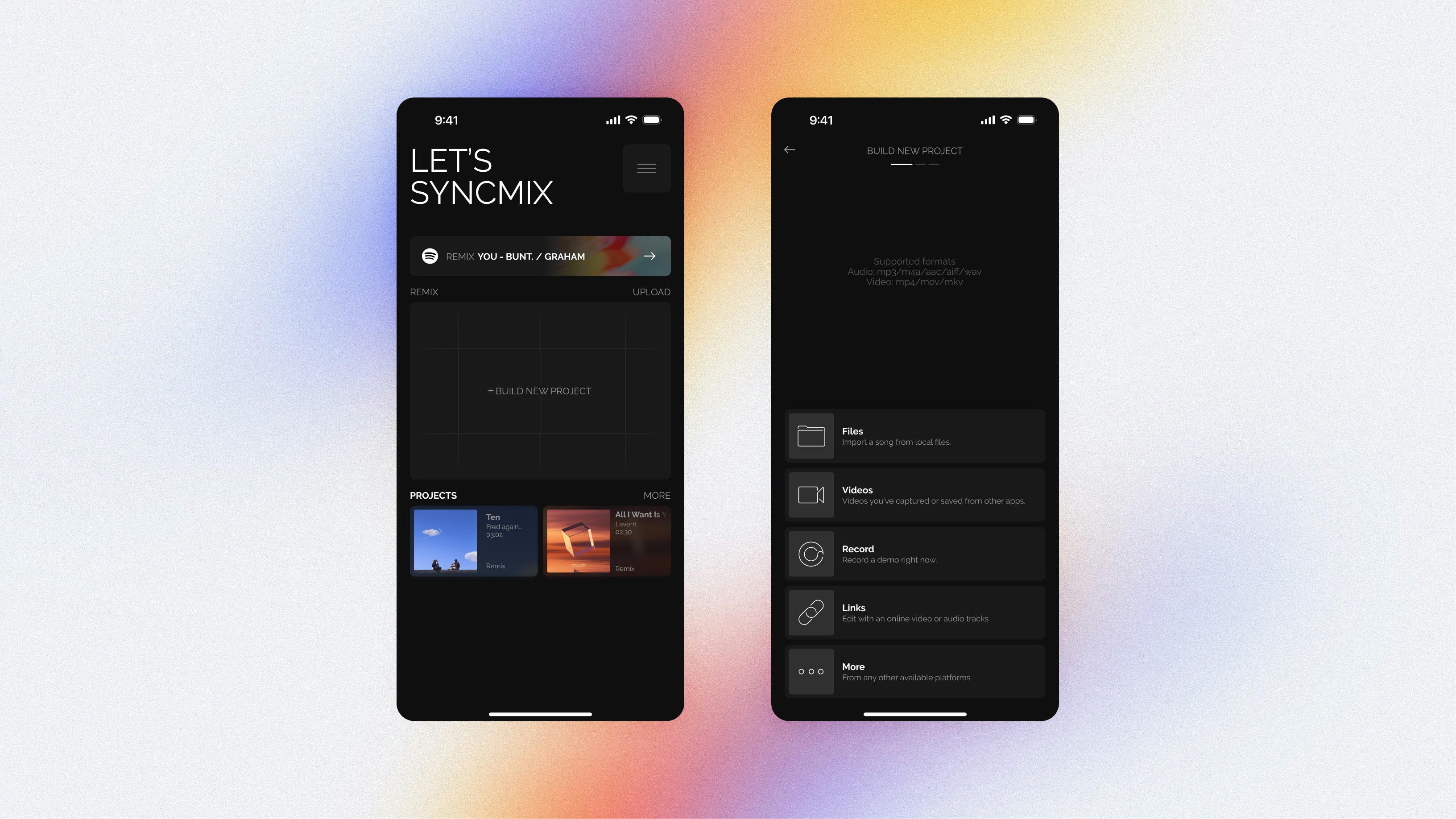
SyncMix is designed to reduce the friction between inspiration and action. Instead of asking users to configure tracks or templates, this screen lets them begin with what they already have—a sound.
From the home view, users can either continue an existing project or start a new one by uploading files, recording audio, importing videos, or working from links. All entry points are presented equally, allowing creators to choose their own starting moment without committing to a workflow too early.
Sound Tracks
Sound Tracks provide curated sound packs organized by genre and mood, giving users a clear creative starting point without overwhelming choice. Instead of browsing individual samples, users select a sound pack as a base layer—establishing tone, rhythm, and texture upfront. Once chosen, the pack is loaded directly into a new project, allowing users to move from selection to creation without breaking flow.

Remix Playground
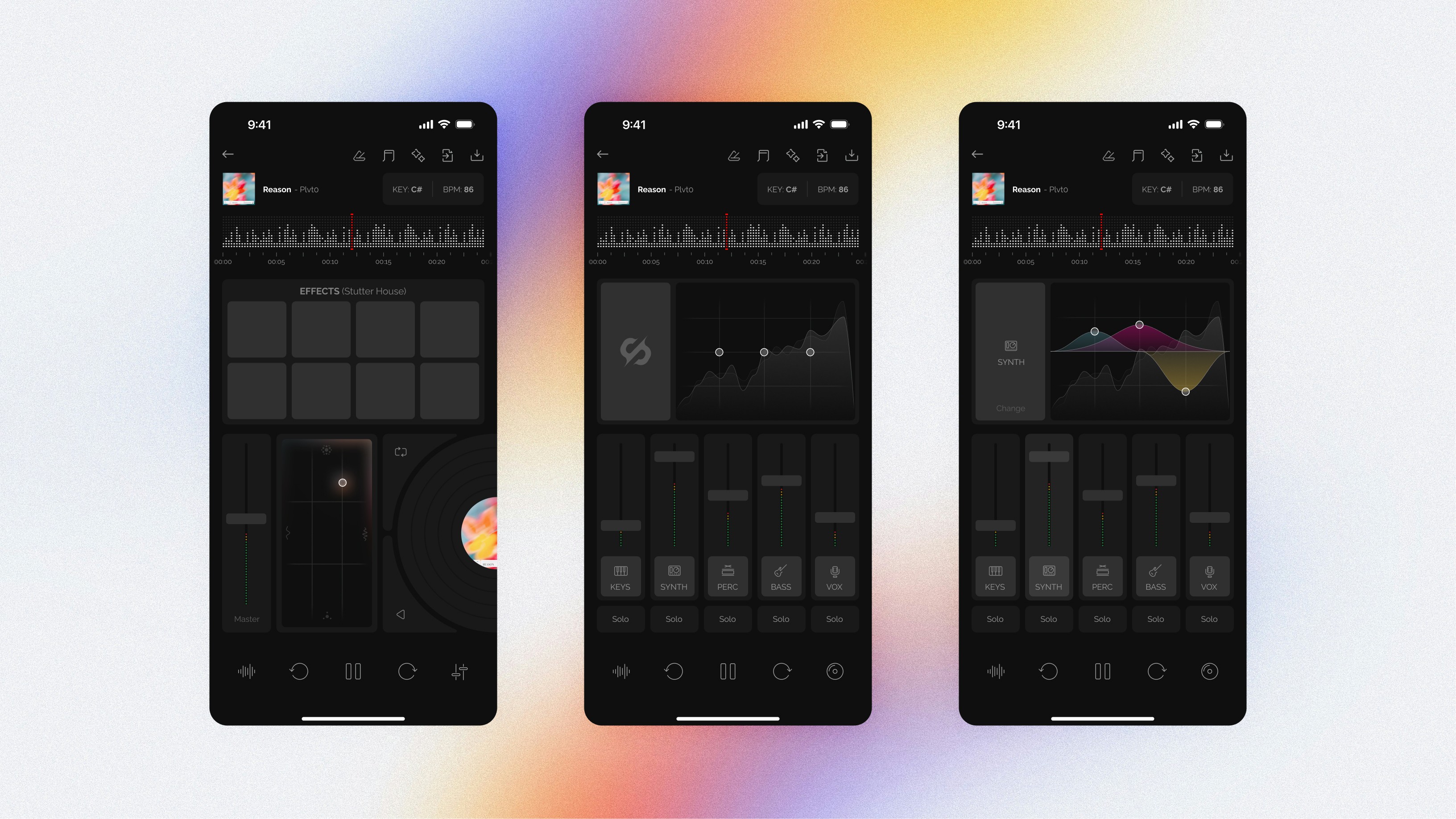
The Remix Playground is where exploration turns into control.
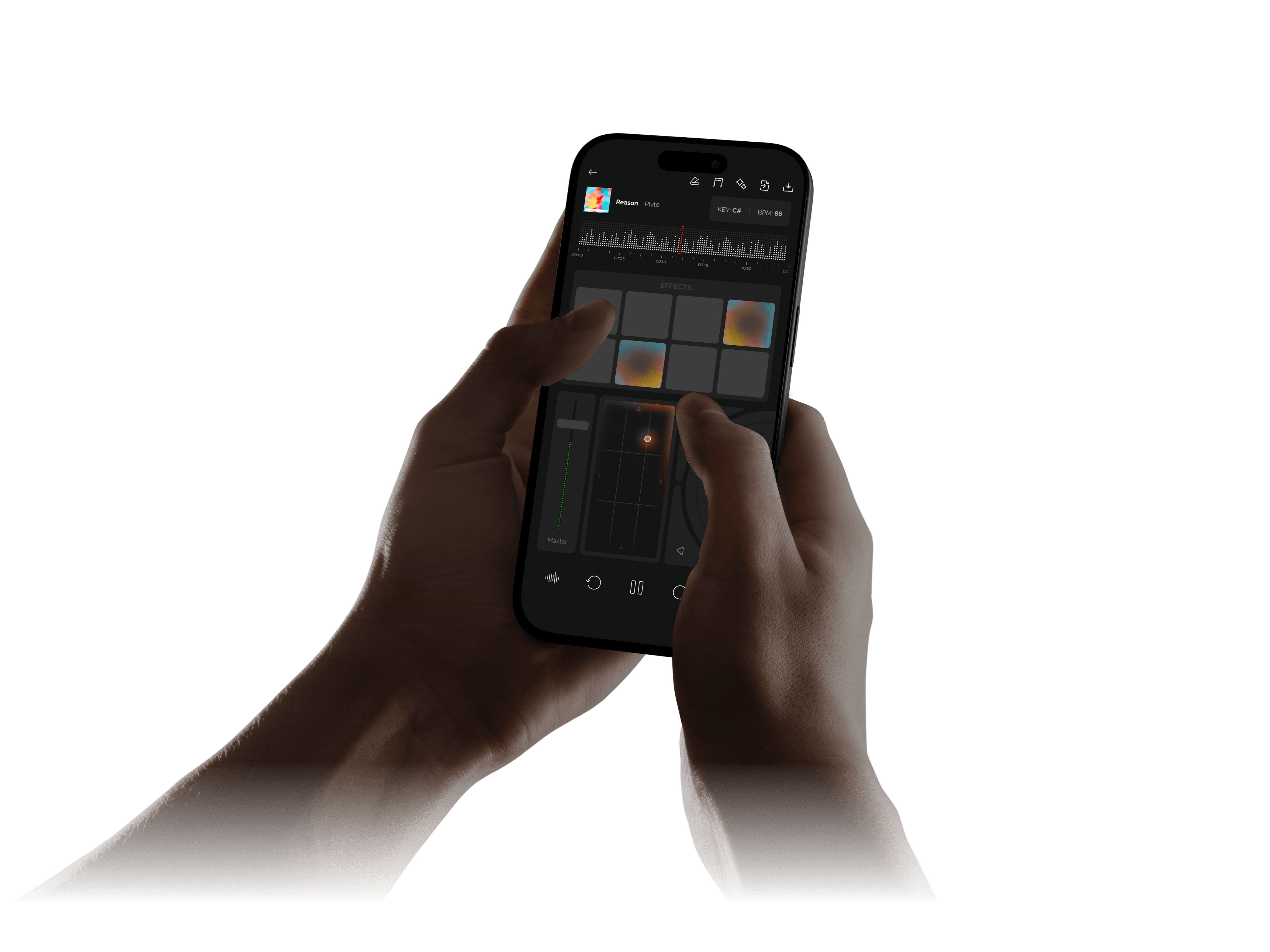
This screen allows users to mix layers, trigger effects, and adjust parameters in real time—treating remixing as an interactive, hands-on experience rather than a linear workflow.
Instead of separating play and production, the interface combines both. Visual feedback, touch-based controls, and immediate audio response encourage users to experiment freely while still shaping a coherent track.
The goal of this space is to keep users in flow—supporting improvisation, iteration, and discovery without interrupting the creative rhythm.
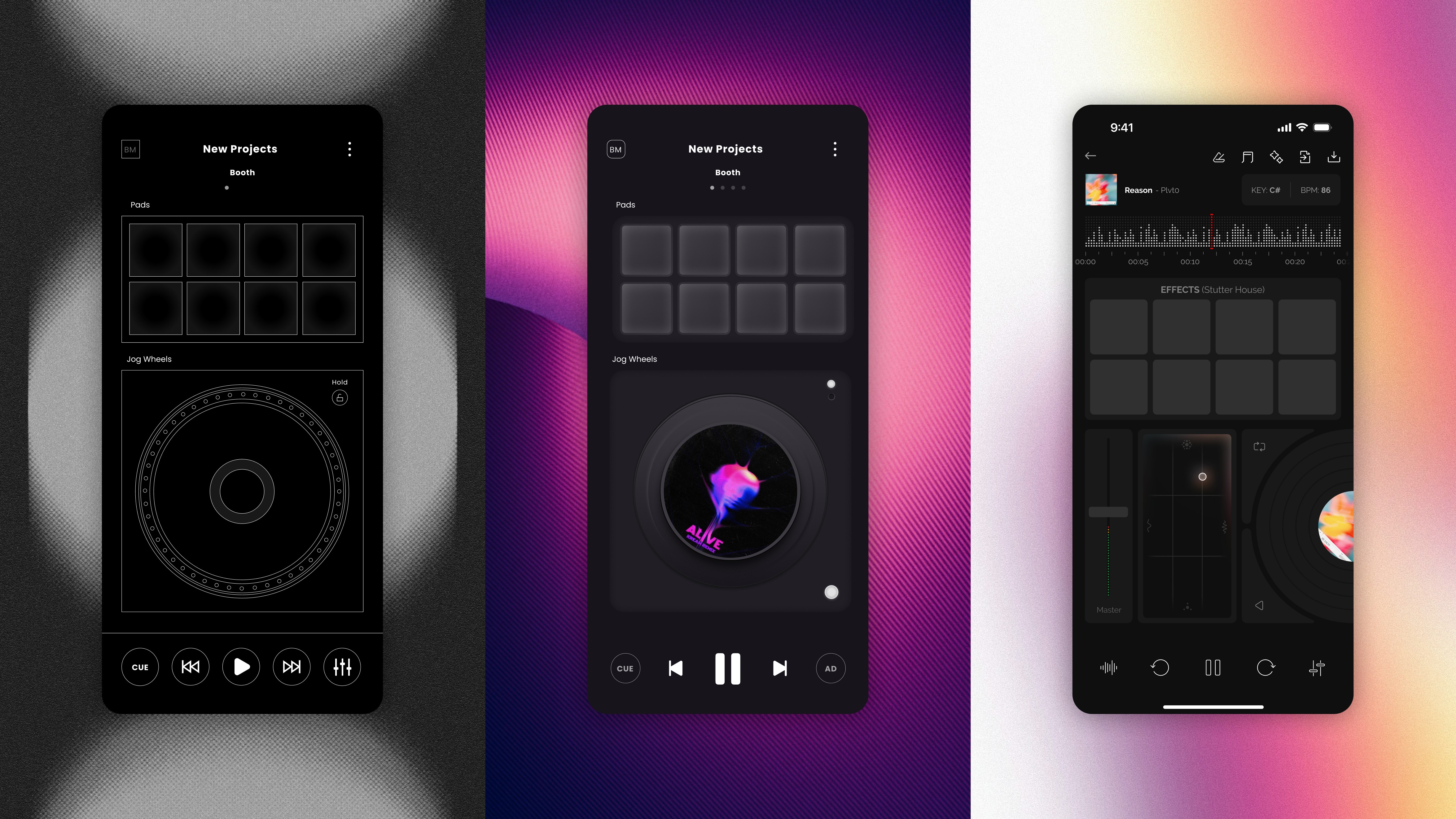
UI Iterations
Each iteration refines interaction clarity and visual balance. The interface evolved from a technical layout to a fluid, touch-driven experience that feels intuitive and expressive.
Rebuilding Interaction
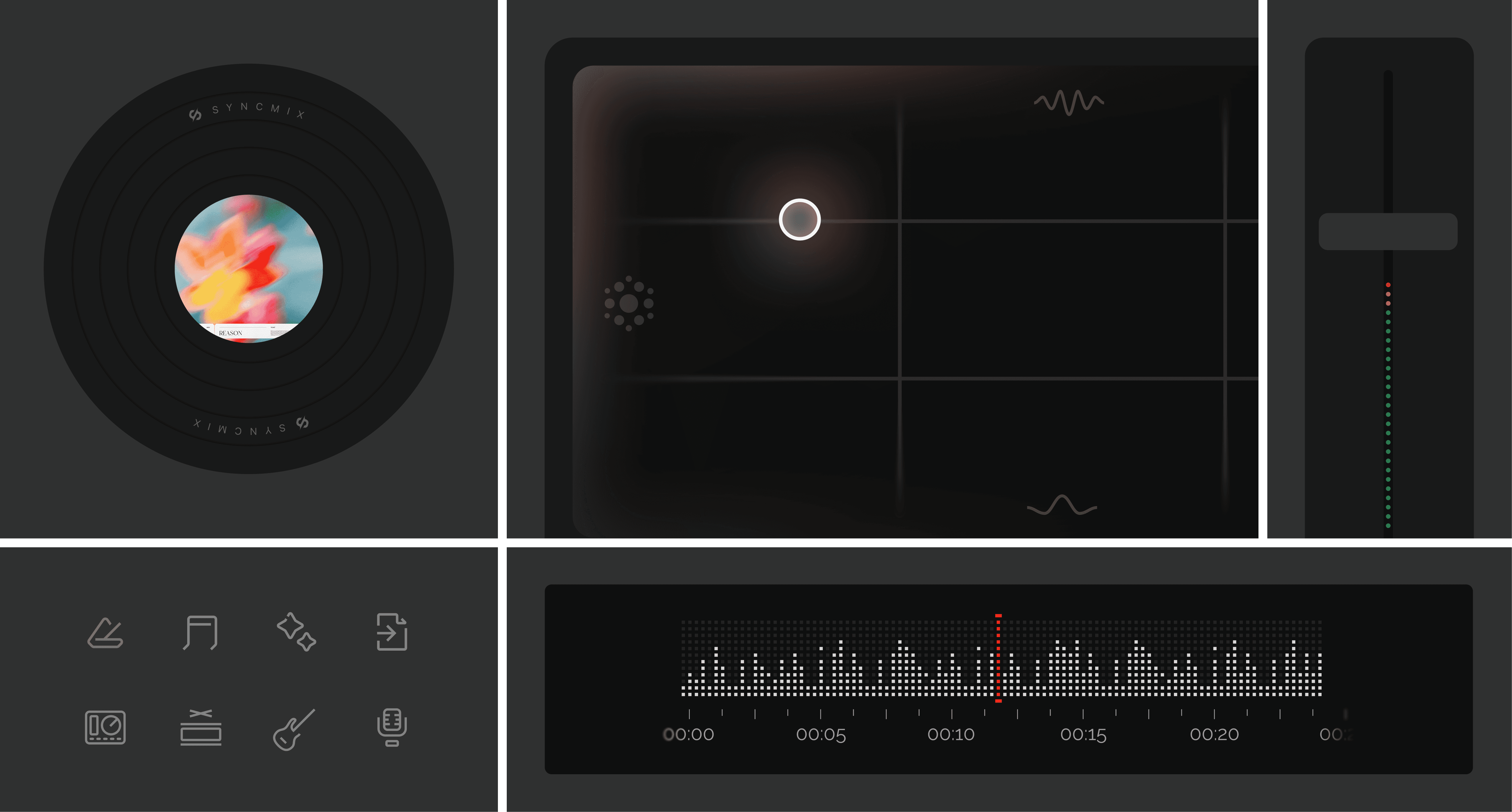
Every element on this screen is intentionally responsive and interconnected. Gestures are designed to feel continuous rather than discrete, allowing users to move fluidly between exploration and adjustment. Pads encourage playful triggering, while sliders and spatial controls provide precision without interrupting momentum. Visual feedback is immediate and subtle, reinforcing cause and effect without overwhelming attention.
Design System
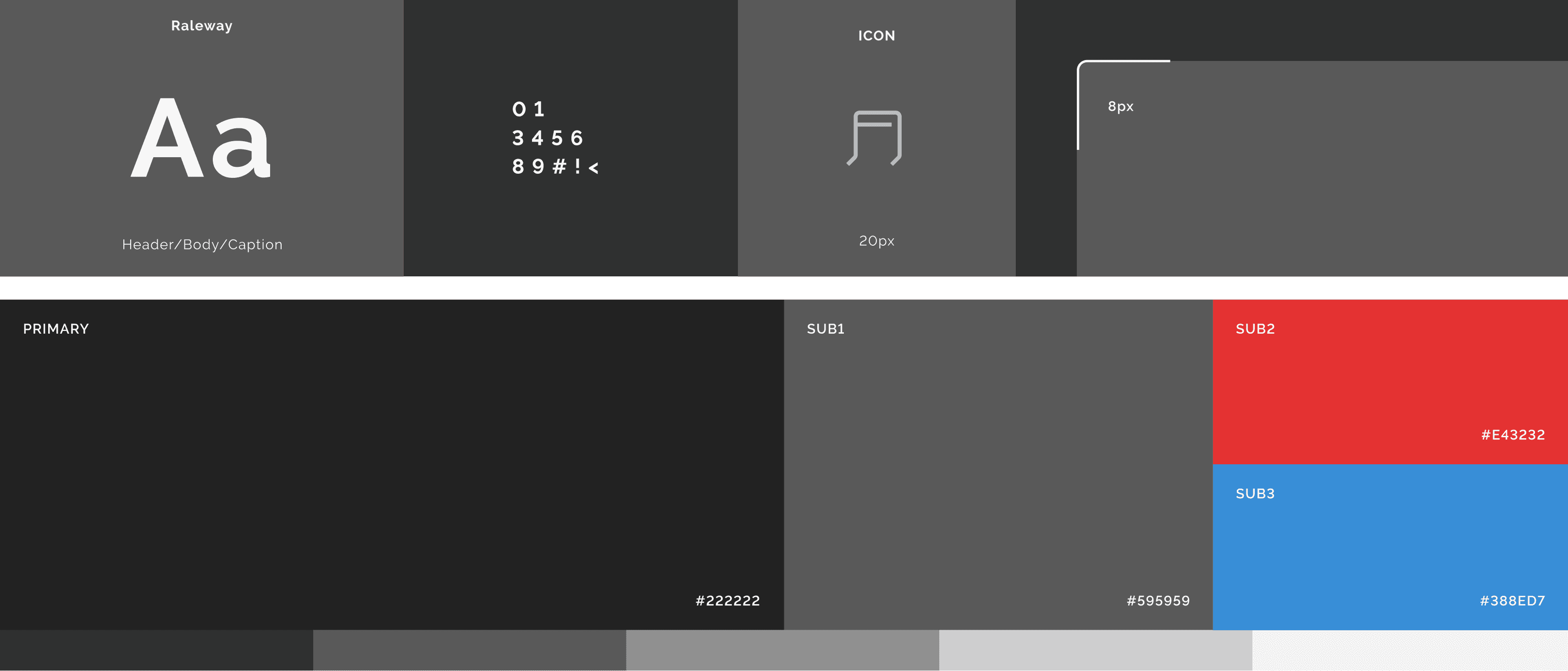
Typography defines a clear hierarchy across headers, body text, and captions, ensuring readability in low-light conditions and during long creative sessions. Iconography is reduced to essential forms and built on a consistent grid, remaining clear and recognizable without distracting from the interface. The color system is intentionally restrained. A neutral primary palette provides visual stability, while secondary accent colors are used sparingly to signal state changes, emphasis, and interaction feedback. This approach ensures clarity without visual noise, reinforcing control and focus throughout the experience.